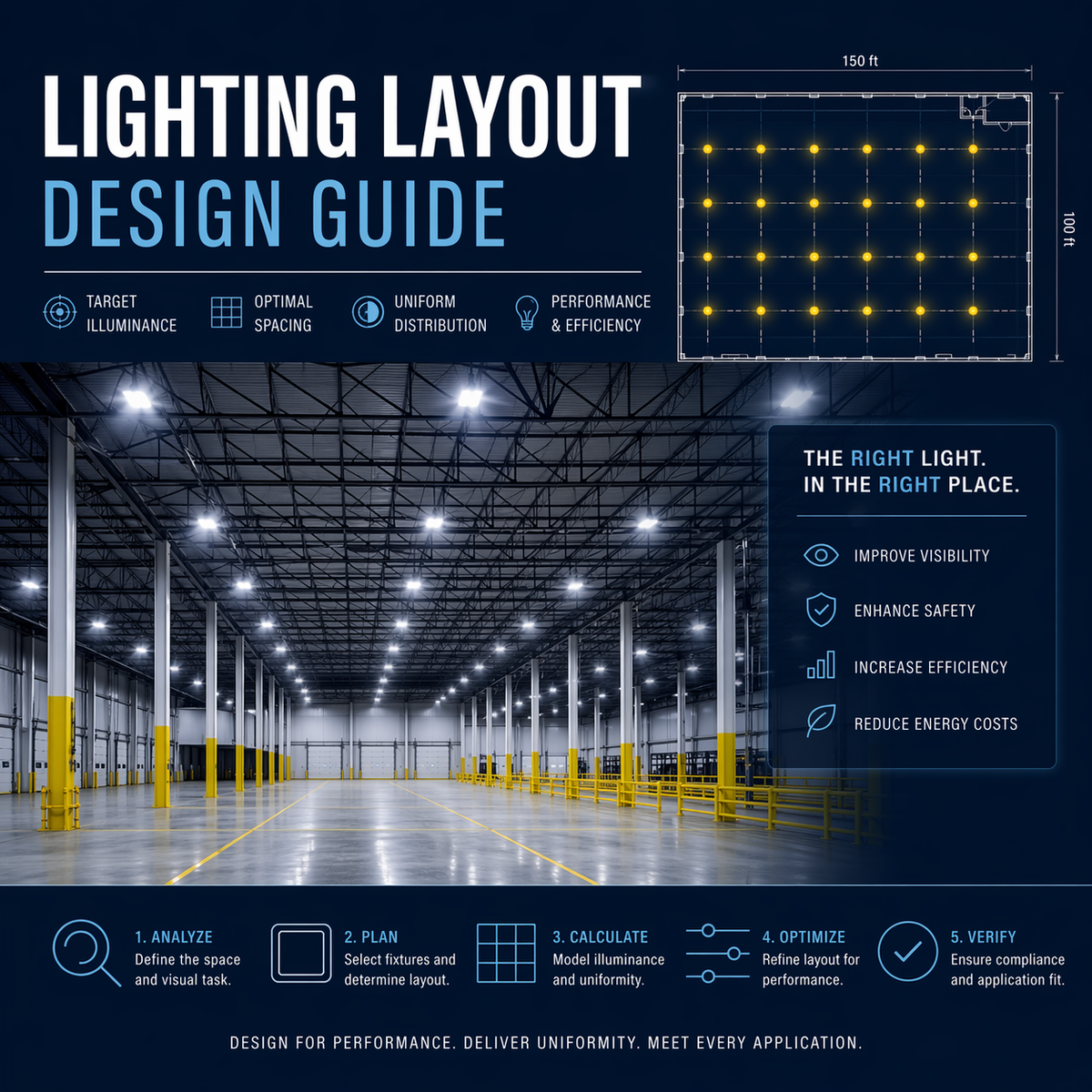
Linear LED high bay lights illuminating a commercial warehouse with uniform, high-output lighting for safe and efficient operations

LED High Bay Lights

LED high bays for 15–40 ft mounting heights—UFO and linear options spec’d by optics, spacing, and delivered lumens for warehouse-grade uniformity.

Filter

    Commercial LED high bay lights for 20’+ mounting heights, uniformity, and code-aligned visibility

    High Bay LED Fixtures are the primary engine for facilities with 20’+ mounting heights. Available in Linear and UFO (Round) configurations, these fixtures replace legacy HID and fluorescent systems while reducing total building energy loads and maintenance cycles.

    Read more about LED High Bay Lights

    High bay configurations: UFO and linear

    Built for warehouses, manufacturing plants, and gymnasiums, high bays prioritize thermal management, optical precision, and driver reliability. Many models support 0–10V dimming for zoning and code-driven controls, helping teams hit target foot-candle levels without over-lighting.

    Common applications and high bay planning references

    Answer summary: High bay LED fixtures are specified by mounting height, delivered lumens, beam angle, spacing, and application—not wattage or fixture shape alone.

    High bay mounting height, photometrics, and performance context

    High Bay Lighting Systems for Warehouses and Large Facilities Reading Photometric Reports for High Bay Lighting Layouts Maintenance Planning for Linear and UFO High Bay Fixtures Installation Best Practices for Commercial LED High Bays

    Shop LED high bay lights by mounting height and fixture type—UFO or linear—and filter by lumen package, beam angle, and controls to hit uniformity targets with fewer fixtures.

    53 products


    High bay spec workflow: mounting height, beam angle, spacing checks, and documentation

    Use this guide to select high bays by mounting height and distribution, validate beam angle and spacing for uniformity, and route documentation (photometrics, submittals, shipping visibility, closeout) for commercial projects. The table of contents below links directly to the decision points used in real high bay specifications.

    High bay spec workflow infographic showing mounting height and optic selection, UFO versus linear configuration choice, spacing and uniformity validation with photometrics, controls and sensor verification, commissioning trims, and closeout documentation steps.
    High bay spec workflow: start with height and distribution, validate spacing with photometrics, verify controls, commission trims, and document as-builts for closeout.

    High bay lighting specification guidance

    Selecting high bay lighting involves more than choosing wattage. Mounting height, beam angle, lumen distribution, and spacing determine whether floor-level tasks meet required foot-candle targets. For a deeper breakdown of layout strategy and fixture selection, reference our high bay lighting specification guide.

    Specification note: Common high bay lighting failures include insufficient floor-level illumination, excessive glare from narrow beam angles, and uneven spacing that creates dark zones between fixtures.


    Technical selection guide for commercial LED high bays

    High bay selection is a layout problem first. Use the table of contents to jump directly to configuration choice, photometric checks, and control verification used on warehouse and industrial projects.


    UFO vs. linear selection

    The choice between a UFO (round) or linear high bay comes down to the ceiling layout, rack geometry, and where you need the light to land. Both can meet high-lumen requirements, but they distribute light differently.

    Selection rule: UFO high bays favor open areas and fast installation, while linear high bays favor aisle alignment and controlled distribution.

    Side-by-side infographic comparing UFO versus linear LED high bays showing open-area symmetric coverage versus aisle-aligned distribution in racked warehouses, with key spec checks for spacing and glare.
    UFO for open bays; linear for aisle alignment—distribution placement matters more than fixture shape.

    Selection shortcut: Use the matrix below to choose between UFO and linear high bays based on ceiling geometry, aisle layout, and where the light needs to land.

    UFO vs. linear LED high bays: selection matrix based on ceiling layout, rack geometry, distribution control, and installation priorities.
    Priority / condition Choose Why it wins Spec check
    Open floor areas (general warehouse, open production, gyms) UFO Wide, symmetric distribution supports open-bay coverage and simple layouts. Match optic to mounting height; validate glare risk at common viewing angles and aisle edges.
    Racked aisles / pick modules where alignment matters Linear Aligns distribution with aisles; reduces wasted light on rack tops and improves task visibility. Confirm aisle width, rack height, and distribution type (aisle optic if available); verify spacing with photometrics.
    Tight spacing control (reduce dark lanes between fixtures) Linear (often) More controllable distribution pattern for long runs and consistent spacing. Verify beam pattern and fixture-to-fixture spacing-to-mounting-height assumptions.
    Fast single-point mounting / retrofit simplicity UFO Hook/pendant mounting is straightforward; common choice for quick retrofits. Confirm mounting hardware, safety cable requirements, and junction/whip provisions.
    High glare sensitivity at floor level (forklifts, long sightlines) Either (prefer better glare control / optics) Glare is primarily optic + output + layout; both shapes can perform well with proper selection. Specify appropriate optics/lenses; avoid over-lighting; validate layout and aiming (if adjustable).
    Controls-heavy projects (occupancy/daylight, zoning, scheduling) Either Controls performance depends on driver + sensor strategy, not fixture shape. Standardize driver families per zone; plan sensor coverage by rack/ceiling geometry; document commissioning targets.

    Back to top


    Mounting height and beam angle rules

    Mounting height drives optic choice. Narrow beams can push intensity down to the floor from high mounts, but they can also create glare and hot spots if spacing is not matched. Wider beams improve uniformity in open bays but may require higher lumen packages to maintain targets.

    Decision flow infographic mapping high bay mounting heights from 20 to 45 feet to recommended optic approaches (medium, medium-to-narrow, narrow, and aisle distribution) with glare and uniformity spec checks.
    Start with mounting height: choose a baseline optic (medium → narrow) and trigger photometrics when racking, high mounts, or uniformity targets make layouts sensitive.

    Optic baseline: Use the table below to align mounting height with a starting optic approach, then validate spacing and uniformity with photometrics when the project is layout-sensitive.

    Mounting height to optic approach: baseline beam guidance and the spec checks that prevent glare, hot spots, and dark lanes in high bay layouts.
    Mounting height Typical optic intent When it fails Spec checks (photometrics triggers)
    20–25 ft Medium distribution for balanced coverage and uniformity in open bays. Over-lighting and glare if lumen package is oversized; dark lanes if spacing is too wide. Confirm target maintained footcandles; check spacing-to-mounting-height; validate glare at floor-level sightlines.
    25–35 ft Medium-to-narrow distribution depending on spacing and task concentration. Hot spots and glare with narrow optics if spacing is tight; insufficient floor light if optics are too wide. Use photometrics if racked aisles or critical tasks; verify optic selection against layout and rack geometry.
    35–45 ft Narrow distribution to push intensity to the floor from high mounts. Glare and high contrast; “spotty” floor illumination if layout is not tuned. Photometrics strongly recommended; validate uniformity ratios and glare control; avoid over-driving lumen packages.
    Aisle-based racks (any height) Aisle-aligned distribution (often linear) to place light on the working plane. Wasted light on rack tops; dark aisles if distribution doesn’t match aisle width. Confirm aisle width and rack height; validate row spacing; require photometrics for pick modules and narrow aisles.
    Beam angle tradeoffs infographic for high bay lighting comparing narrow, medium, wide, and aisle distributions for intensity, uniformity, glare risk, and layout tolerance.
    Beam choice is a trade: narrow increases floor intensity but raises glare/hot-spot risk; medium balances; wide improves perceived uniformity at lower mounts; aisle optics must align to rack geometry.

    Beam tradeoffs: Use the comparison below to balance intensity, uniformity, and glare risk when choosing narrow, medium, or wide distributions.

    Beam angle tradeoffs for LED high bays: how narrow/medium/wide distributions affect intensity, uniformity, glare, and layout tolerance.
    Beam family Strength Risk Best-fit applications
    Narrow Higher intensity on the floor from high mounting heights; can support taller ceilings. Glare and hot spots; higher contrast; layout becomes less forgiving. High mounts (35–45 ft), tall open bays, or controlled placement where spacing is validated by photometrics.
    Medium Balanced coverage and uniformity; good general-purpose option for many warehouses. Can underperform at very high mounts if spacing is wide; may require higher lumen packages. 20–35 ft open bays, general warehouse areas, mixed tasks where uniformity matters.
    Wide Improves perceived uniformity in open areas; fewer “spotlight” effects. Lower intensity at the floor from high mounts; can create dim zones if lumen package is not sized correctly. Lower high-bay mounts, open gym areas, and broader coverage zones with tighter spacing.
    Aisle / asymmetric (where available) Places light where work occurs (aisles), improving efficiency and visibility. Wrong orientation creates dark zones; requires alignment with aisle geometry. Racked aisles, pick modules, long corridors, and production lines with directional tasks.

    Back to top


    Spacing and uniformity checks

    Uniformity is usually what separates a “bright” install from a workable one. Validate spacing patterns to avoid dark lanes between fixtures, especially in racked aisles, pick modules, and production lines where visual tasks repeat all shift.

    Uniformity checklist infographic for high bay layouts showing dark lanes, hot spots, aisle striping, mixed outputs, and floor-level glare with corresponding spec fixes and commissioning trims.
    Uniformity is the real win: prevent dark lanes and striping by matching spacing to optic and height—then trim output and document zones during commissioning.

    Uniformity check: Use the checklist below to prevent dark lanes, striping, and hot spots by matching spacing to optic choice and mounting height.

    Spacing and uniformity checklist for LED high bays: common layout risks, what causes them, and the fastest spec or commissioning fixes.
    Uniformity risk Typical cause Spec fix (design) Field / commissioning fix
    Dark lanes between fixtures Spacing too wide for the optic and mounting height; wrong distribution for the space. Tighten spacing; change to a more appropriate optic; validate with photometrics. If selectable wattage is available, increase output only after confirming spacing is acceptable.
    Hot spots under fixtures Narrow optic with tight spacing; lumen package oversized; mounts too high for the layout. Shift to medium distribution; re-space; select lower lumen package if targets are exceeded. Trim output (wattage setting / high-end trim); adjust scenes to reduce glare during occupied hours.
    Striping in aisles Fixtures not aligned with aisle geometry; wrong optic for aisle width; inconsistent row spacing. Use linear/aisle distribution; align rows; validate spacing against aisle width and rack height. Confirm sensor zoning and scene levels by aisle; adjust control grouping if needed.
    Uneven brightness across zones Mixed lumen packages/driver families; inconsistent mounting heights; poor zoning. Standardize lumen packages per zone; avoid mixing fixture families. Normalize selectable wattage settings; verify zoning and control group assignments.
    Glare complaints at floor level High luminance at common viewing angles; narrow optics; over-lighting. Prioritize glare-controlled optics; avoid oversized lumen packages; validate sightlines. Trim output; set appropriate minimum dim levels; refine occupied vs unoccupied scenes.

    Back to top


    Controls and dimming verification

    Most high bays support 0–10V dimming for occupancy sensing, daylight dimming, and zoning. Confirm driver compatibility with the control strategy, avoid mixing driver families in the same zone, and ensure sensor placement aligns with rack height and aisle geometry.

    Controls verification infographic for LED high bays showing 0–10V driver compatibility, wiring separation, consistent drivers per zone, sensor placement for racked aisles, safe minimum dim levels, and perimeter daylight zoning.
    Controls are a safety layer: verify 0–10V drivers, keep zones consistent, place sensors for rack geometry, and set safe minimum dim levels before go-live.

    Controls plan: Use the checklist below to validate 0–10V driver compatibility, sensor placement, and zoning before commissioning high bay controls at scale.

    Controls and sensor verification for LED high bays: 0–10V compatibility, zoning, sensor placement, and commissioning settings that prevent flicker and unsafe light levels.
    Check What to verify Common symptom if missed Spec / field fix
    Driver dimming protocol Driver explicitly supports 0–10V (not line-dim only) and matches the control strategy. No dimming response, limited range, or inconsistent behavior. Confirm driver option on submittals; standardize protocol project-wide.
    Low-voltage wiring practices Polarity (where applicable), separation from line voltage, and noise exposure are controlled. Flicker, shimmer, or unstable dimming curve. Reroute low-voltage runs; avoid shared conduits when possible; follow best-practice wiring routes.
    Driver family consistency Do not mix driver families within the same dimming zone. Uneven dimming between fixtures; mismatch at low end. Standardize driver families per zone; document in submittals and closeout.
    Sensor placement (racks/aisles) Coverage matches rack height, aisle geometry, and obstructions; avoid blind spots. Lights fail to switch on, or time out unexpectedly in active areas. Adjust sensor locations/aiming; verify coverage with walkthrough tests; zone by aisle modules.
    Minimum dim / safety light levels Minimum dim level and timeouts meet safety requirements and operational expectations. Areas become too dark; complaints about “lights shutting off.” Set safe minimum dim level; adjust timeouts; document settings in closeout.
    Daylight dimming strategy Perimeter zones are separated and calibrated; interior zones are not over-dimmed. Inconsistent brightness; over-dimming near doors/skylights or insufficient savings. Separate perimeter/interior zones; calibrate sensors; set appropriate trim levels.

    Troubleshooting note: If the install is complete and complaints begin post-commissioning, use the symptom-to-fix table below before swapping fixtures.

    Field-proven fixes: The table below maps common high bay complaints to likely causes and the fastest spec or commissioning corrections.

    Troubleshooting LED high bay installations: common symptoms, likely root causes, and the fastest spec or commissioning fixes for warehouses and industrial facilities.
    Complaint / symptom Typical root cause Spec fix (design) Commissioning / field fix
    Dark zones between fixtures Spacing too wide for optic/height; wrong distribution for aisle geometry. Re-space layout; change optic/distribution; validate with photometrics. If selectable wattage exists, increase output only after confirming layout is correct.
    Glare complaints / harsh hotspots Narrow optic with tight spacing; lumen package oversized; poor sightline control. Select more appropriate optic; reduce lumen package; refine spacing. Trim output (wattage/high-end trim); set safe minimum dim levels; refine occupied scenes.
    Uneven dimming across fixtures Mixed driver families; zoning errors; inconsistent wiring practices. Standardize drivers per zone; document controls design; avoid mixed protocols. Verify wiring polarity/routing; regroup zones; recalibrate control settings.
    Flicker during dimming 0–10V wiring interference; low-end instability; incompatible controls. Specify compatible driver/control families; include wiring best practices in scope. Reroute low-voltage runs; set minimum dim above dropout; isolate noisy circuits.
    Lights shut off while area is occupied Sensor coverage blocked by racks; timeout too short; sensor aiming incorrect. Plan sensor layout around rack geometry; zone by aisle modules. Adjust sensor aiming/placement; increase timeout; set safe minimum dim level.
    Brightness varies widely by zone Different lumen packages/settings; inconsistent mounting heights; daylight zones not separated. Normalize output packages by zone; separate perimeter/interior zones. Standardize selectable settings; calibrate daylight dimming; document as-builts.

    Back to top


    Commercial Project Support

    Need documentation, lead-time visibility, or closeout-ready deliverables? Use the resources below to route your project correctly and reduce revision cycles.

    Back to top


    FAQs

    How do I choose high bay lighting by mounting height?

    Start with mounting height and target maintained footcandles for the task. Higher mounts typically require higher lumen packages and optics that can maintain spacing uniformity without producing glare hotspots at common viewing angles.

    When should I use UFO high bays instead of linear high bays?

    Use UFO high bays in open areas where wide coverage and fast single-point mounting are priorities. Use linear high bays in racked warehouses and aisleways where fixture alignment improves distribution efficiency and reduces wasted light on rack tops.

    What beam angle should I specify for warehouse high bays?

    Beam angle depends on mounting height, spacing, and whether the space is open or aisle-based. Narrower beams can increase intensity at the floor from higher mounts, while wider beams often improve uniformity in open bays—photometrics are the safest way to validate the choice.

    What causes dark zones or striping between high bay fixtures?

    Dark zones usually come from spacing that is too wide for the optic and mounting height, or from using the wrong distribution for aisle geometry. Correcting it often requires re-spacing, changing optics, and/or adjusting lumen packages.

    What should I confirm for 0–10V dimming and sensors on high bays?

    Confirm driver compatibility, keep driver families consistent within a zone, and ensure sensor placement and aiming match rack height and aisle layout. Commissioning settings (high-end trim, timeout, and dim level) should align with safety requirements and operating hours.

    When should I use field-selectable wattage for high bays?

    Use selectable wattage when you want to reduce SKUs and keep flexibility for commissioning—especially on phased projects or when ceiling heights and reflectances vary across zones.

    Back to top

    Brandon Waldrop, lead commercial lighting specialist

    Expert reviewed for commercial specification

    Brandon Waldrop

    Lead Commercial Lighting Specialist • Documentation + Layout Support

    The LED High Bay Lights collection is reviewed for height-driven optic selection, uniformity-first layout outcomes, and controls-ready performance so 20’+ facilities hit usable foot-candle targets without glare, dark lanes, or post-install rework.

    Collection review focus:
    Verified for mounting-height-to-optic discipline (medium vs narrow vs aisle intent) so distribution matches 20–45 ft conditions without “spotty” floors or over-driven hot spots; verified for geometry-first spacing (bay size, aisle width, rack height, cross-aisle intersections, and edge conditions) so layouts avoid dark lanes, scalloping, and blind pockets where tasks repeat all shift; verified for vertical visibility where work happens (rack faces, pick locations, endcaps, and turn points) so label/SKU readability is maintained even when floor numbers look acceptable; verified for glare control in long sightlines (forklift approaches, cross-aisle views, and open staging lines) so high-angle brightness doesn’t wash contrast or create fatigue and complaint-driven dimming; verified for fixture-type fit by zone (linear alignment for racking geometry, UFO/open-bay coverage where symmetry wins, and aisle/asymmetric optics where available) so light lands on the working plane instead of wasted tops and voids; verified for photometric validation triggers (non-standard heights, dense racking, mixed ceiling conditions, and critical uniformity demands) so IES-based checks are used before installs become “trial and error”; verified for controls readiness at scale (0–10V behavior, driver-family consistency within zones, and sensor placement matched to rack obstructions) so dimming is stable and sensors don’t create surprise shutoffs or dead coverage; verified for commissioning discipline (high-end trim, minimum dim stability, timeout strategy, and safe baseline levels in primary travel routes) so energy savings never creates sudden visibility gaps; verified for configuration documentation on selectable fixtures (final wattage/CCT captured by zone and maintained as-built) so phased work and maintenance don’t produce patchwork brightness or mixed-tone aisles; verified for reliability posture under high-heat duty (thermal management, driver endurance expectations, and serviceability planning) so uptime stays predictable and replacements don’t turn into a recurring lift-rental cycle.

    Team-backed support: Quotes, photometrics, submittals, shipping visibility, and closeout documentation are supported through Commercial Project Support . Call 800-357-6860.

    Reviewer credentials & verification approach